What You Should Have at the End
Verified Connection
Your first datasource connection passes the connection test and is ready for ingestion.
Extracted Dataset
Selected tables or files have completed extraction and are available for clean-data access.
Actionable Dashboard
Your first insight card is pinned and shareable with your team.
Step 1 — Connect Your Datasource
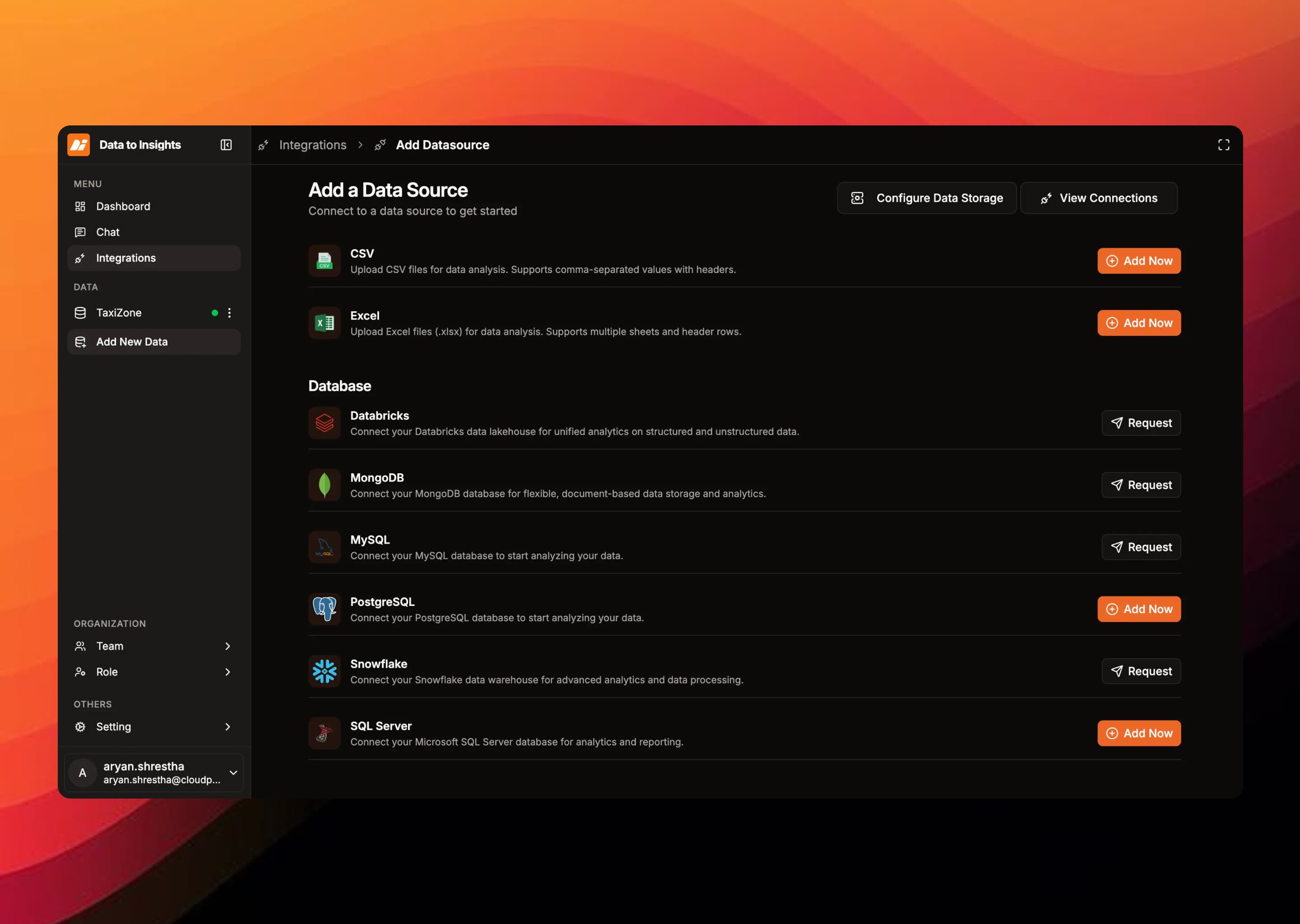
- Select your connector type in the product flow.
- Enter the required connection fields for your connector type.
- For CSV or Excel files, upload through the secure file upload flow to get an S3 URL, then create the connection.
See the Connectors guide for per-connector required fields and notes.
Step 2 — Validate and Preview
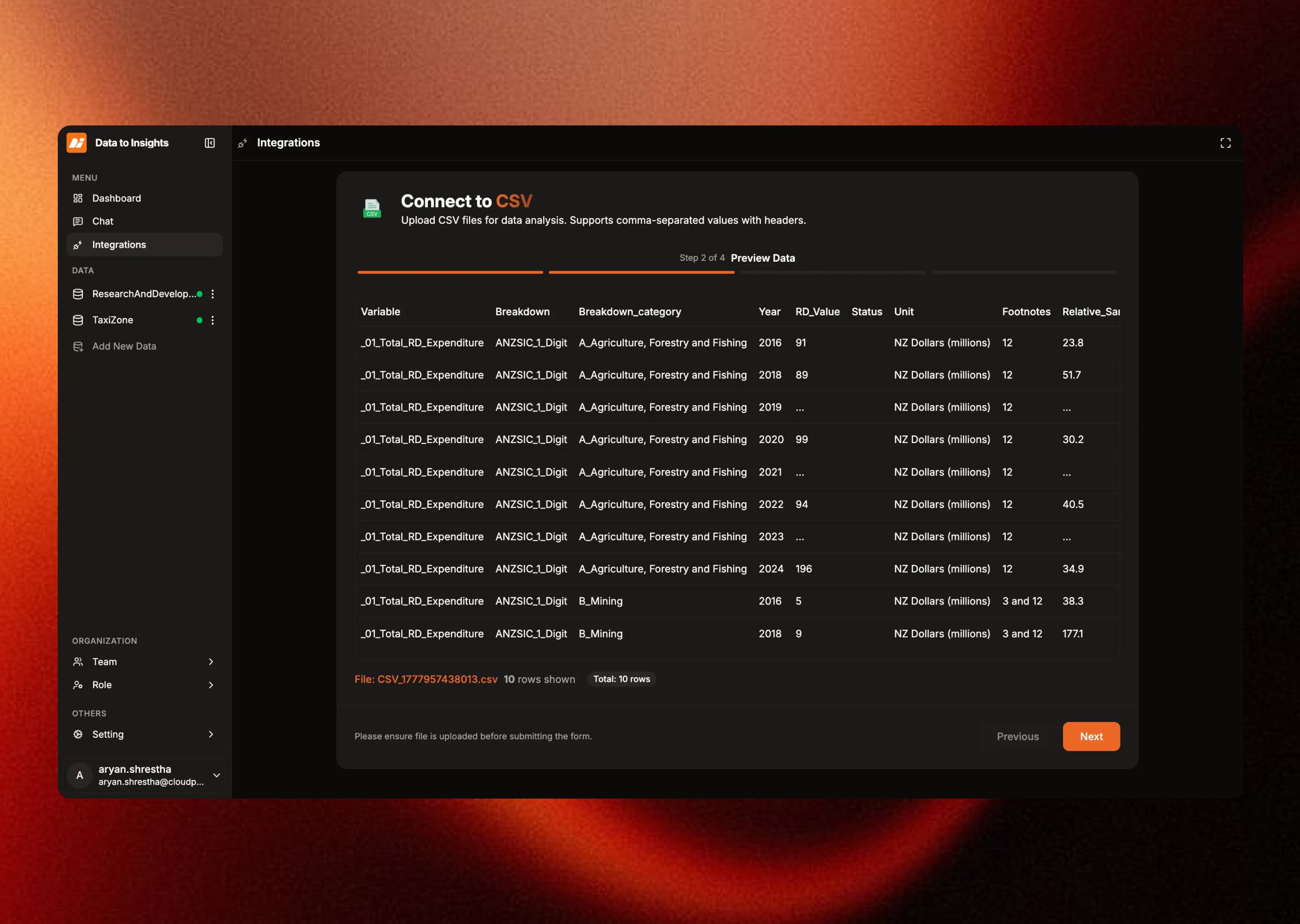
- Run the connection test to verify credentials and network access.
- Browse available schemas, tables, and files in the metadata view.
- Open a preview to validate sample records and confirm the structure matches expectations.
Step 3 — Start Ingestion
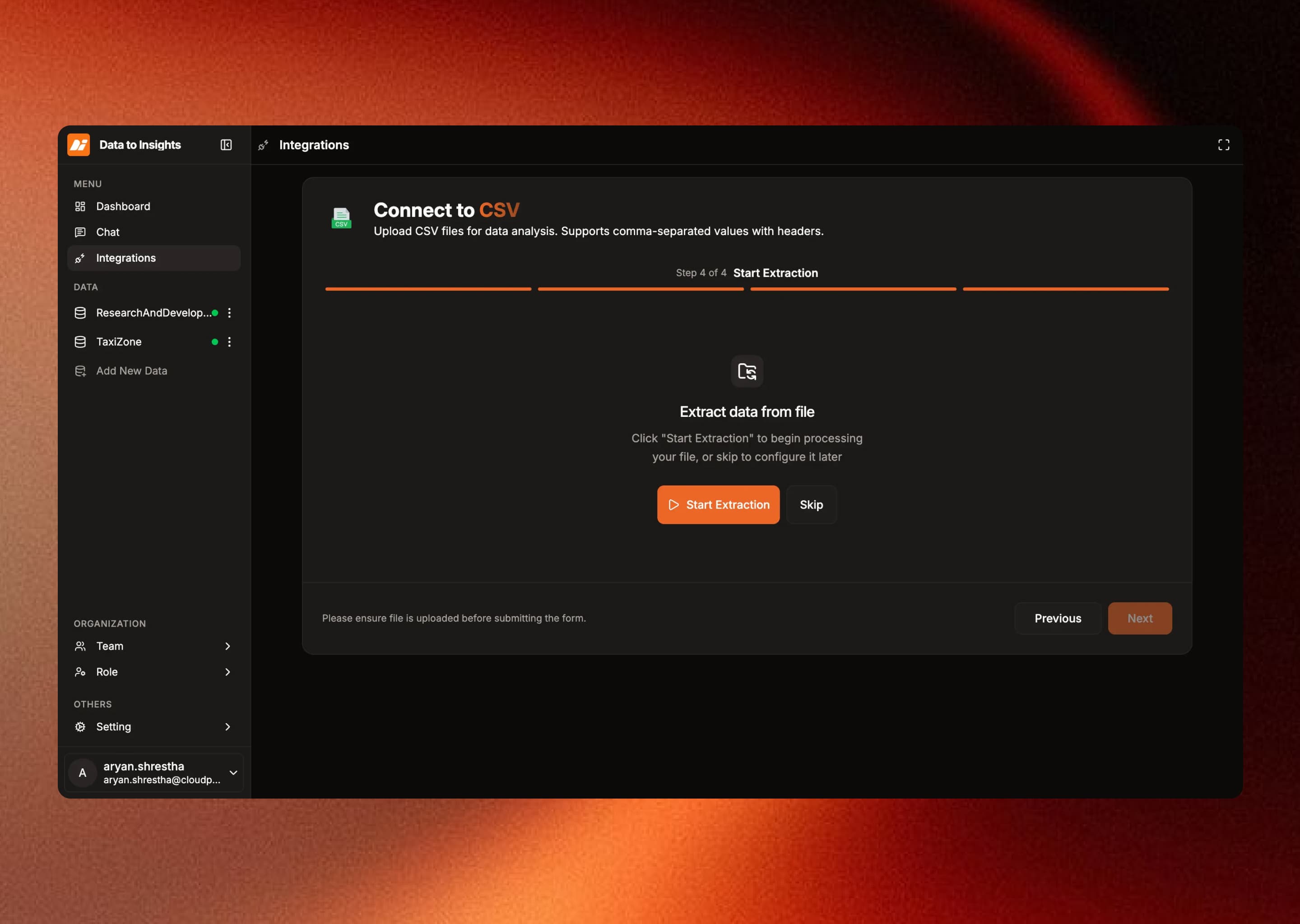
Select target tables or items and start the extraction job. Ingestion runs asynchronously so you can continue setup while the background job processes.
Tip: Start with a narrow table or file subset, then scale coverage after confirming your first successful extraction.
Step 4 — Activate Insights
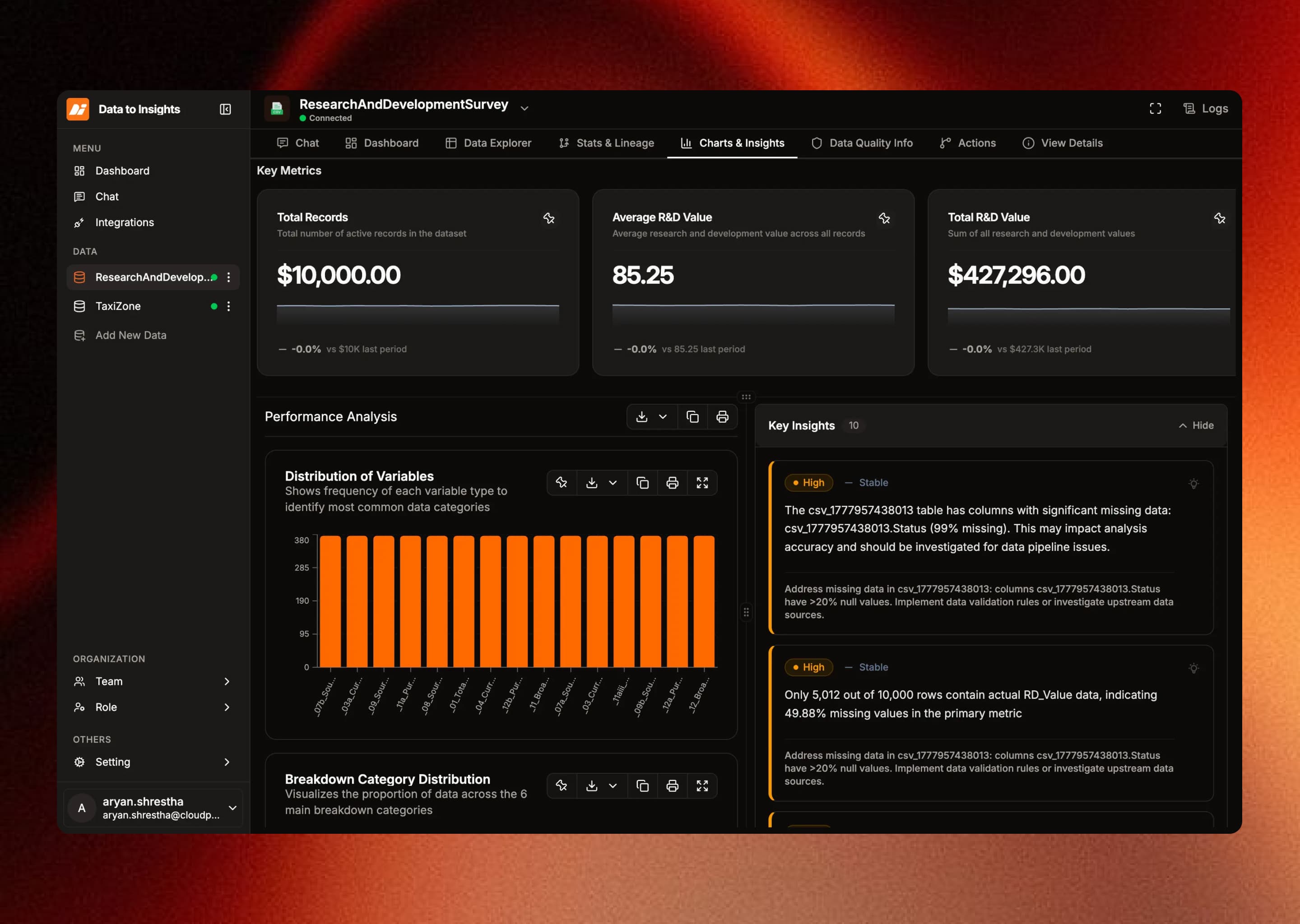
- Create your first metric and chart using the clean extracted data.
- Pin dashboard cards and share with workspace users.
- Track data quality check results and lineage from the extraction lifecycle.
Next: Connectors →