Before You Begin
- Sign-Up Method — Choose between Google authentication or standard email-based registration.
- Plan Readiness — Decide your initial usage tier based on connector needs and expected data volume.
- Datasource Credentials — Prepare read access credentials for your source before opening the connector setup flow.
Step 1 — Sign Up to DataToInsights
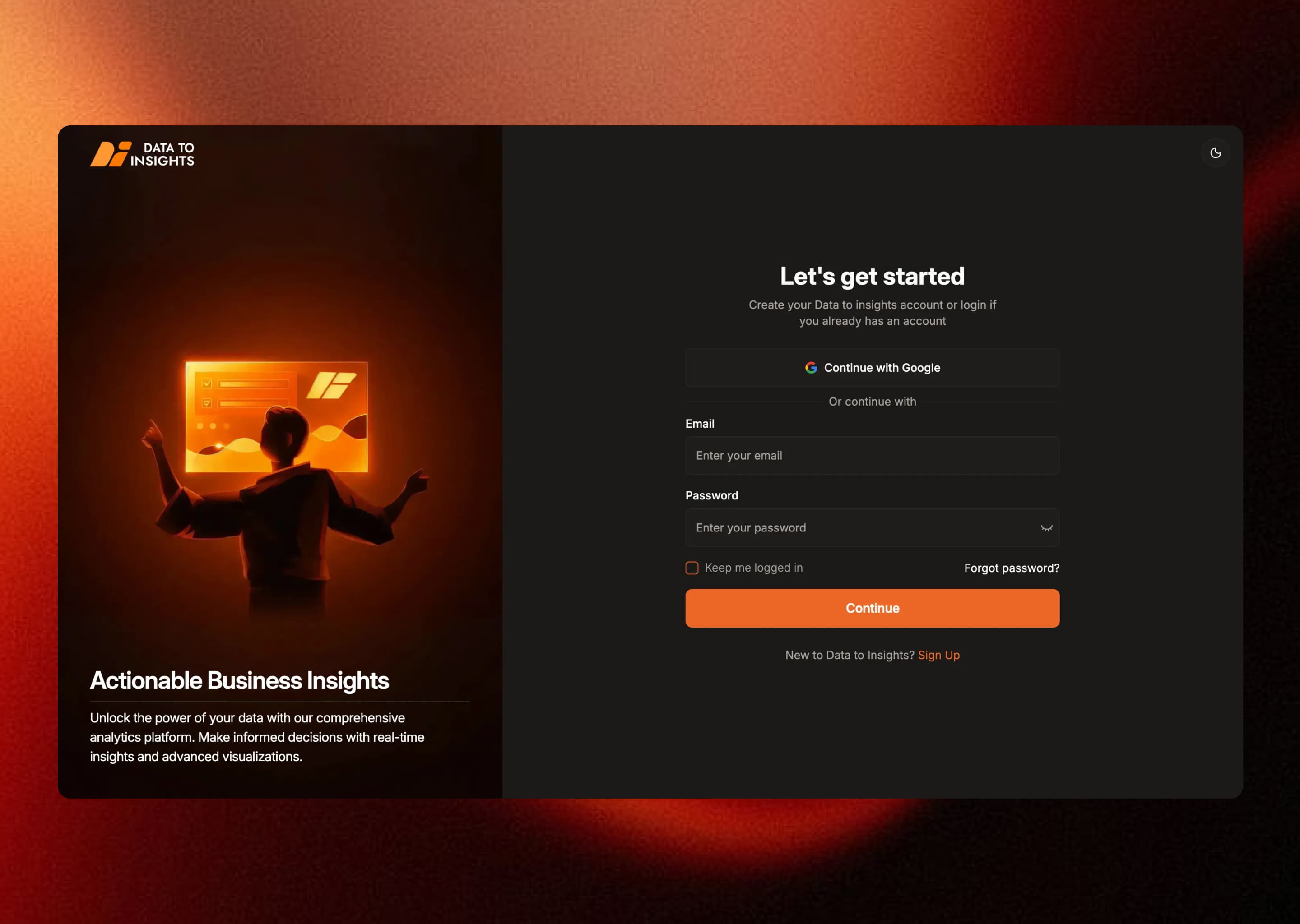
Create an account via Google or the standard email form. After sign-up, verify your email address and access your workspace. No credit card is required for the free tier.
Step 2 — Select a Plan
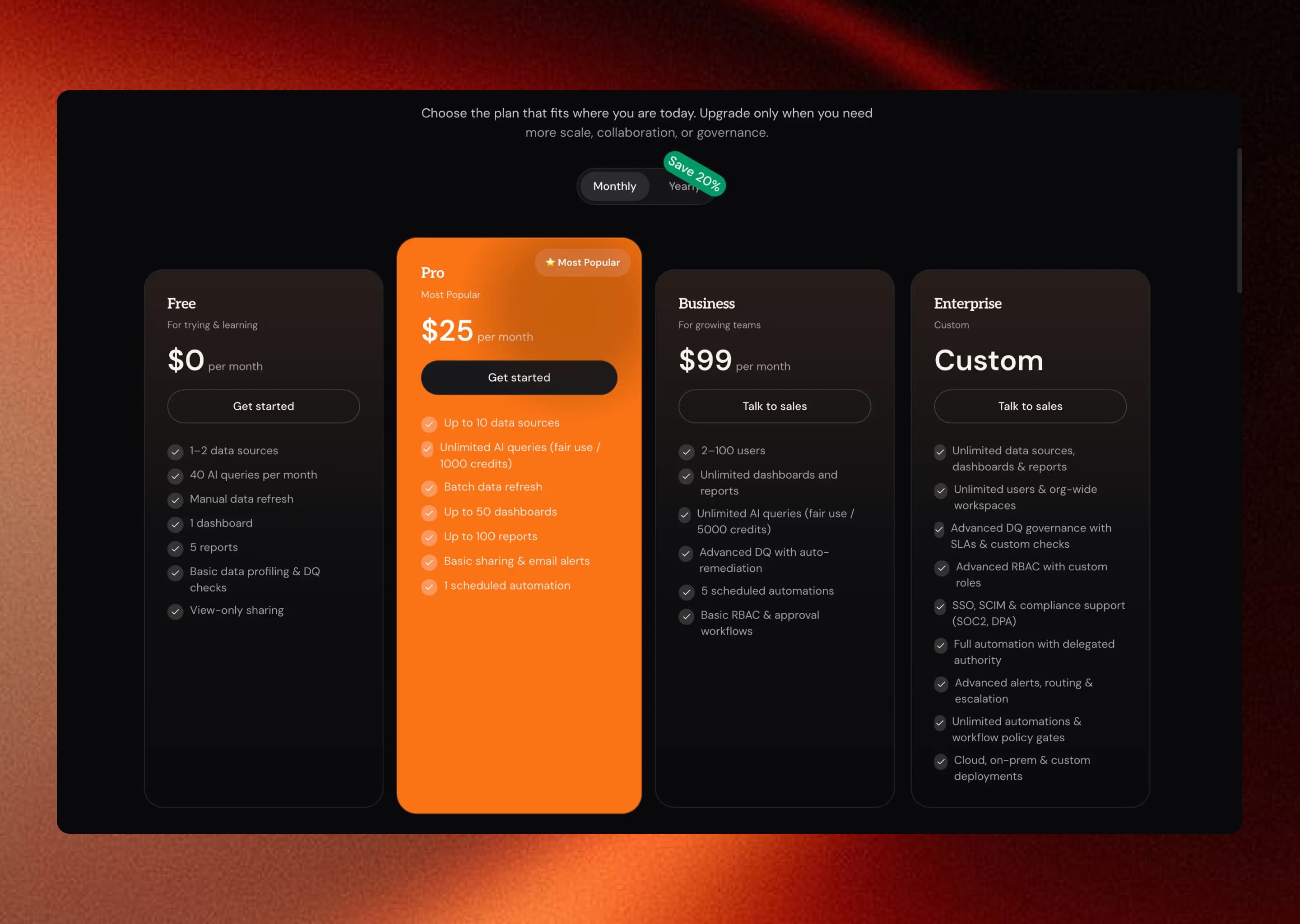
- Free — Trial tier for initial exploration and single-connector testing.
- Pro — Team analytics with expanded connector access and shared dashboards.
- Enterprise — Governed scale with advanced features and dedicated support.
Step 3 — Add Your Datasource
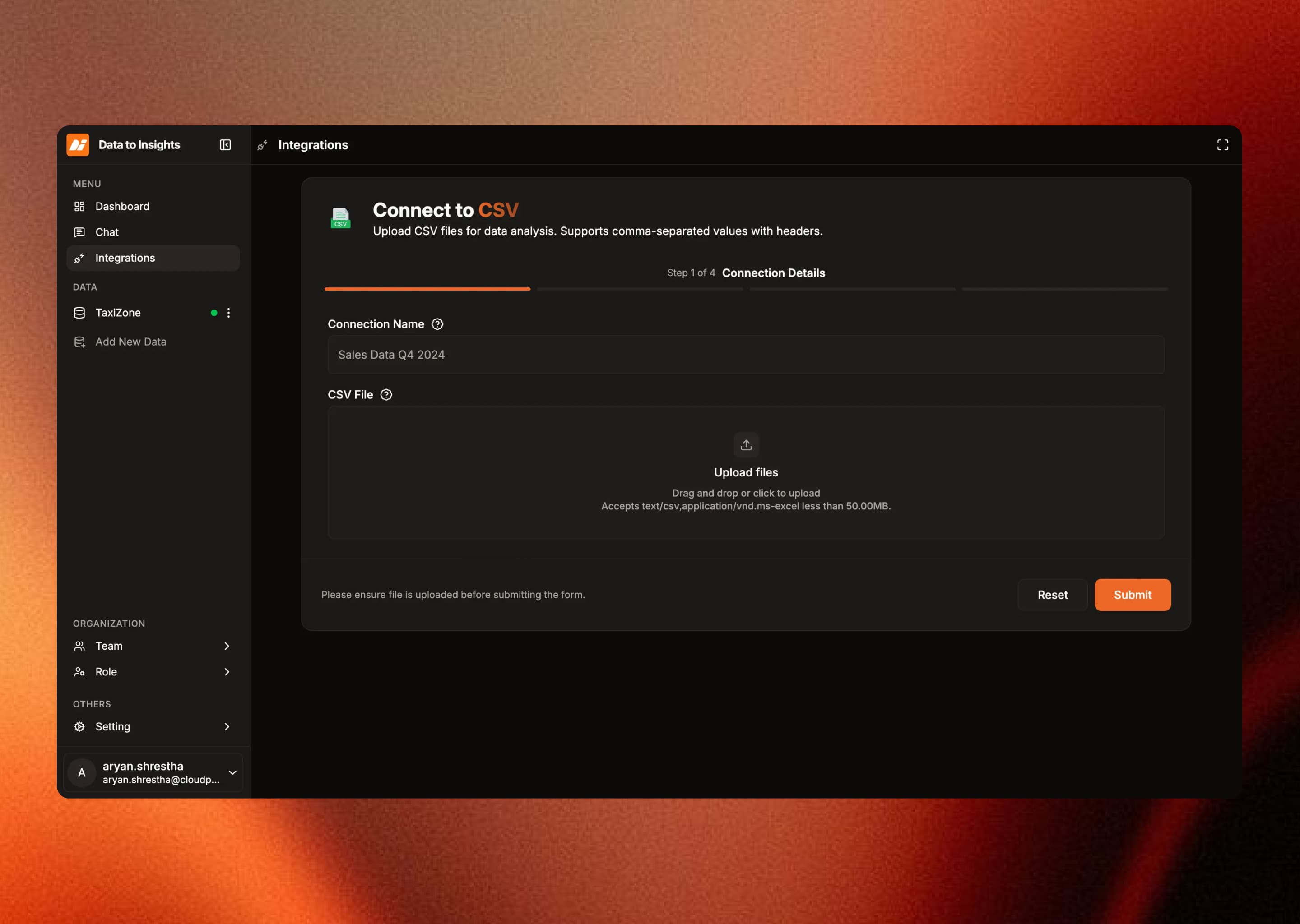
Select your connector type and enter the required connection details. Supported connector types include PostgreSQL, SQL Server, Snowflake, MongoDB, CSV, Excel, and Google Drive.
For datasources on private networks, configure SSH tunneling before this step. See the Bastion Connection guide.
Step 4 — Test and Preview
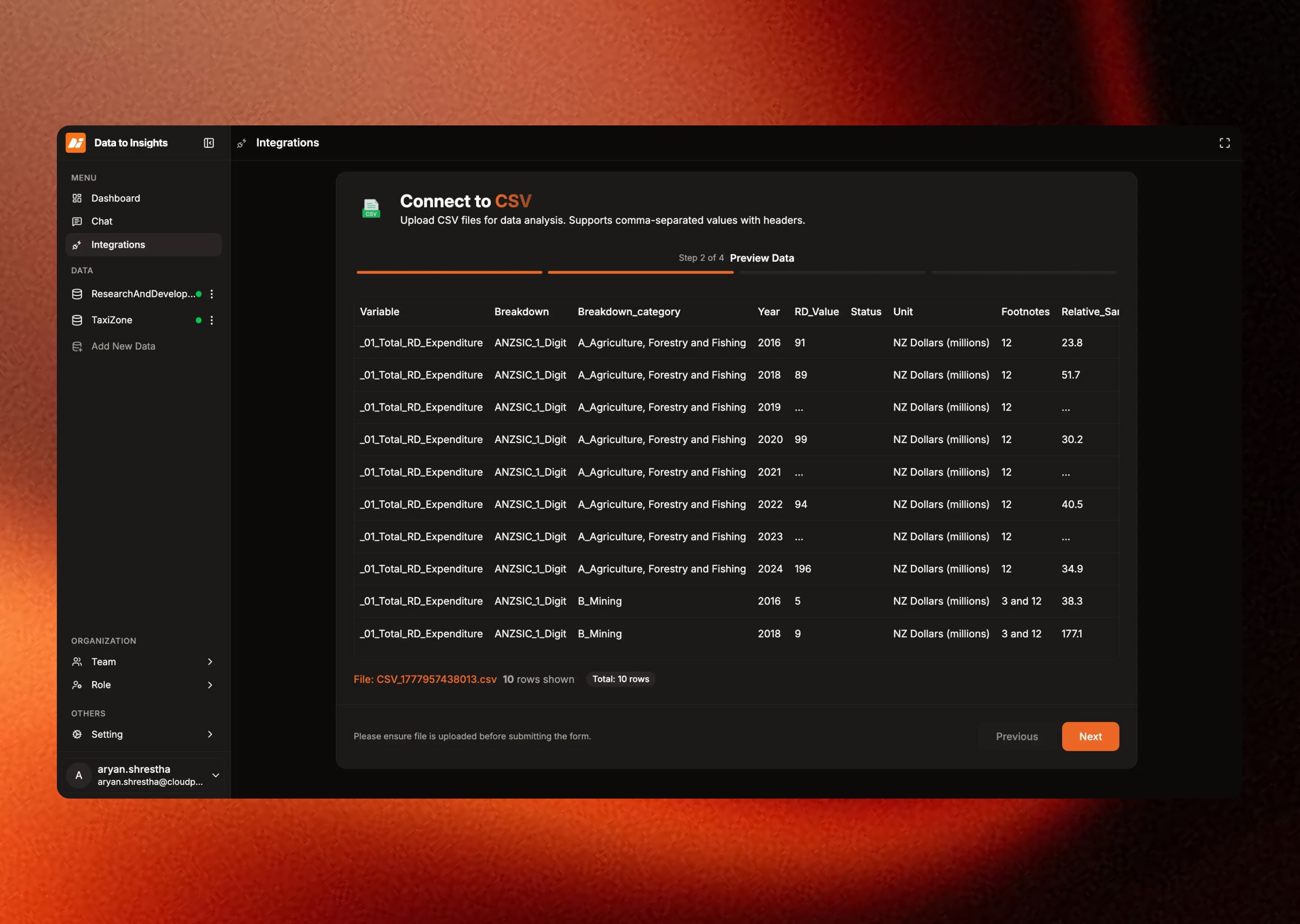
Validate the connection, inspect available schemas, tables, and files, then preview sample records to confirm your data is accessible before starting extraction.
Build Your First Dashboard
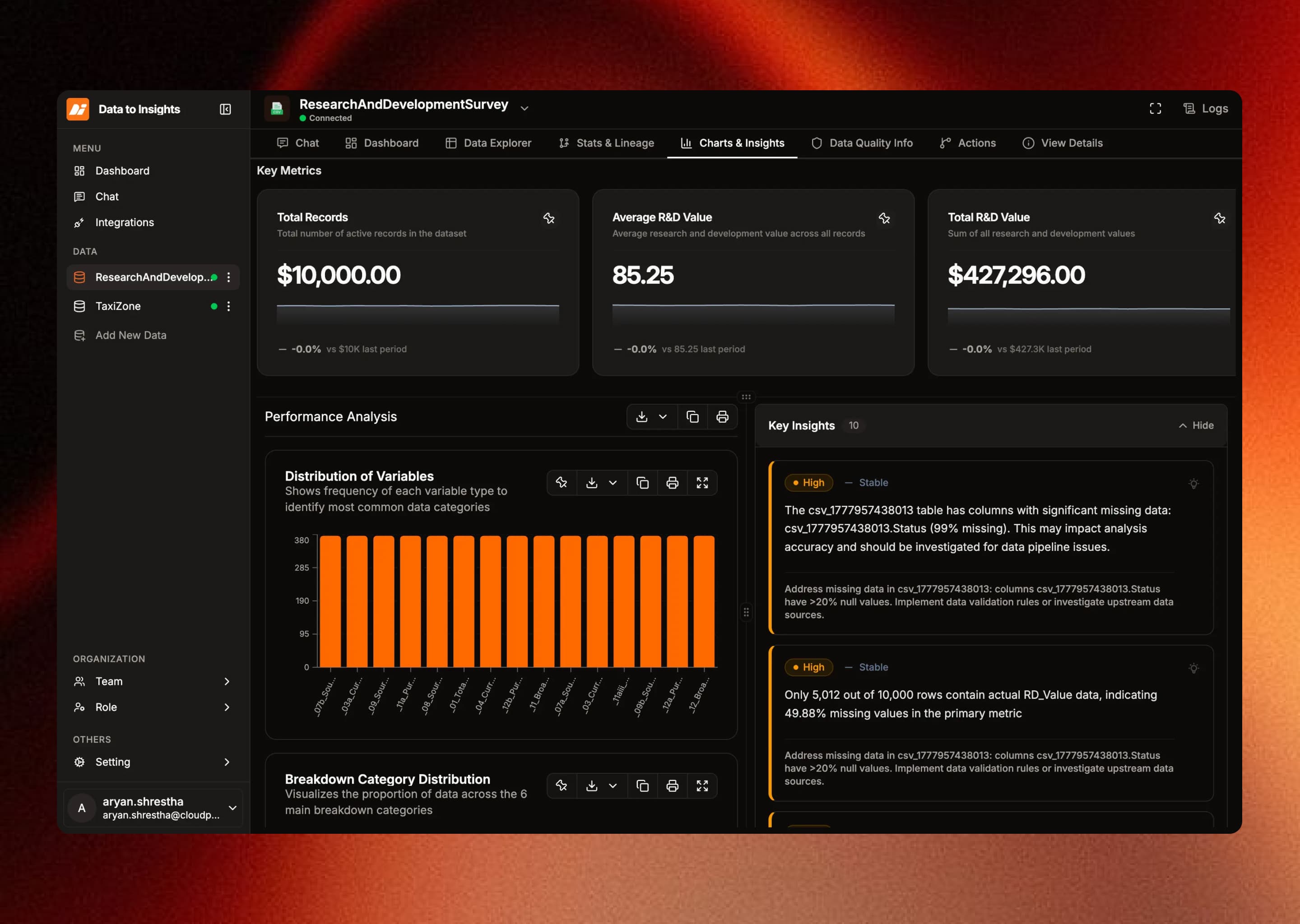
- Open the clean data preview after extraction completes.
- Create metric tiles and pin insight cards to your dashboard.
- Review generated lineage and data quality check results.
- Share with your team and expand connector coverage over time.
Platform Requirements
- Allow outbound connectivity from the DataToInsights runtime to your datasource endpoint.
- Provide bastion host details for private or VPN-restricted datasources.
- Use a least-privilege read-only database account.
- Store credentials only in your workspace configuration — never in shared documentation.
Next: Quickstart →